
How to Write an Email in 2026: Professional Email Tips
Why Knowing How to Write Emails Matters
In today's digital workplace, email remains the primary way we communicate with colleagues, clients, and managers. Yet many people never truly learn how to write an email that gets read, understood, and acted upon — they simply pick up habits along the way, often picking up bad ones too. A poorly structured message can get ignored, misread, or even damage your professional reputation, while a clear, well-crafted one can save time and build trust.
That's why understanding how to write a professional email is a skill worth mastering, whether you're just starting your career or looking to sharpen your communication. In this guide, we'll walk through practical, easy-to-follow steps on how to write emails that are clear, polite, and effective — no matter who you're writing to or what the occasion is. To put these tips into practice instantly, try AI Email Generator for drafting polished, professional emails in seconds.

Why Professional Emails Matter
Email is often the first impression you make in a professional setting — before a client meets you in person or a manager forms an opinion of your work, they read your writing. This is why learning how to write an email the right way matters so much: a professional email that's clear and well-organized signals competence and respect for the reader's time, while a sloppy one can undermine even great ideas.
Beyond first impressions, emails also serve as a written record. Whether you're confirming a project deadline, following up after a meeting, or requesting information, a well-crafted message reduces misunderstandings and keeps everyone aligned. Learning how to write a professional email isn't just about etiquette — it's a practical skill that directly impacts how effectively you work with others.
How Relevance Can Affect Email Engagement
For marketing email, the effect of relevance can be measured. In a randomized field experiment published in Marketing Science, adding a recipient's name to the subject line increased the probability of opening an email from 9.05% to 10.80% and increased sales leads from 0.39% to 0.51%.
Research citation
Personalization in Email Marketing: The Role of Noninformative Advertising Content
Sahni, Wheeler, and Chintagunta · Marketing Science · 2018
Mailchimp also found that segmented campaigns generated 100.95% more clicks than the same senders' non-segmented campaigns in a study of about 2,000 users, 11,000 segmented campaigns, and nearly 9 million recipients. This is marketing-email data, not a guarantee for one-to-one professional email; for individual business messages, replies, meetings booked, or task completion are usually more useful measures.
Research citation
Effects of List Segmentation on Email Marketing Stats
Mailchimp · 2017

Once you understand how to write emails that consistently hit the mark, the process becomes second nature. A professional email follows a simple structure that makes your message easy to read and easy to act on. Whether you're contacting a client, colleague, recruiter, or manager, including these key elements helps your email appear organized, respectful, and professional.
1. Write a Clear Subject Line
Your subject line is the first thing recipients notice. It should briefly summarize the purpose of your email so readers know what to expect before opening it.
Examples:
- Project Proposal for Q3 Marketing Campaign
- Meeting Follow-up – August 12
- Request for Product Information
Tip: Keep it short, specific, and avoid vague subjects like "Hello" or "Question."
2. Start with a Professional Greeting
Begin your email with an appropriate salutation based on your relationship with the recipient.
Examples:
- Dear Mr. Smith,
- Hello Sarah,
- Hi John,
When contacting someone for the first time, it's generally better to use a more formal greeting.
3. Open with Context
Your opening sentence should immediately explain why you're writing. This helps the recipient understand the purpose without reading the entire email first.
Example:
I'm reaching out to discuss the timeline for our upcoming product launch.
Or:
Thank you for taking the time to meet with me yesterday.
4. Keep the Body Clear and Focused
The main body should communicate your message in a logical order. If your email contains multiple points, separate them into short paragraphs or bullet points.
A good email body should:
- Stay focused on one topic
- Use concise, professional language
- Include any necessary details
- Clearly state any requested action
Avoid overly long paragraphs that make the email difficult to scan.
5. End with a Clear Closing
Finish by summarizing what you expect next or expressing appreciation.
Examples:
- I look forward to your response.
- Thank you for your time and consideration.
- Please let me know if you have any questions.
A clear closing helps avoid confusion about the next step.
6. Include a Professional Signature
Your signature provides recipients with your contact information and reinforces your professional identity.
A simple signature usually includes:
- Full name
- Job title
- Company
- Phone number
- Email address
- Company website (optional)
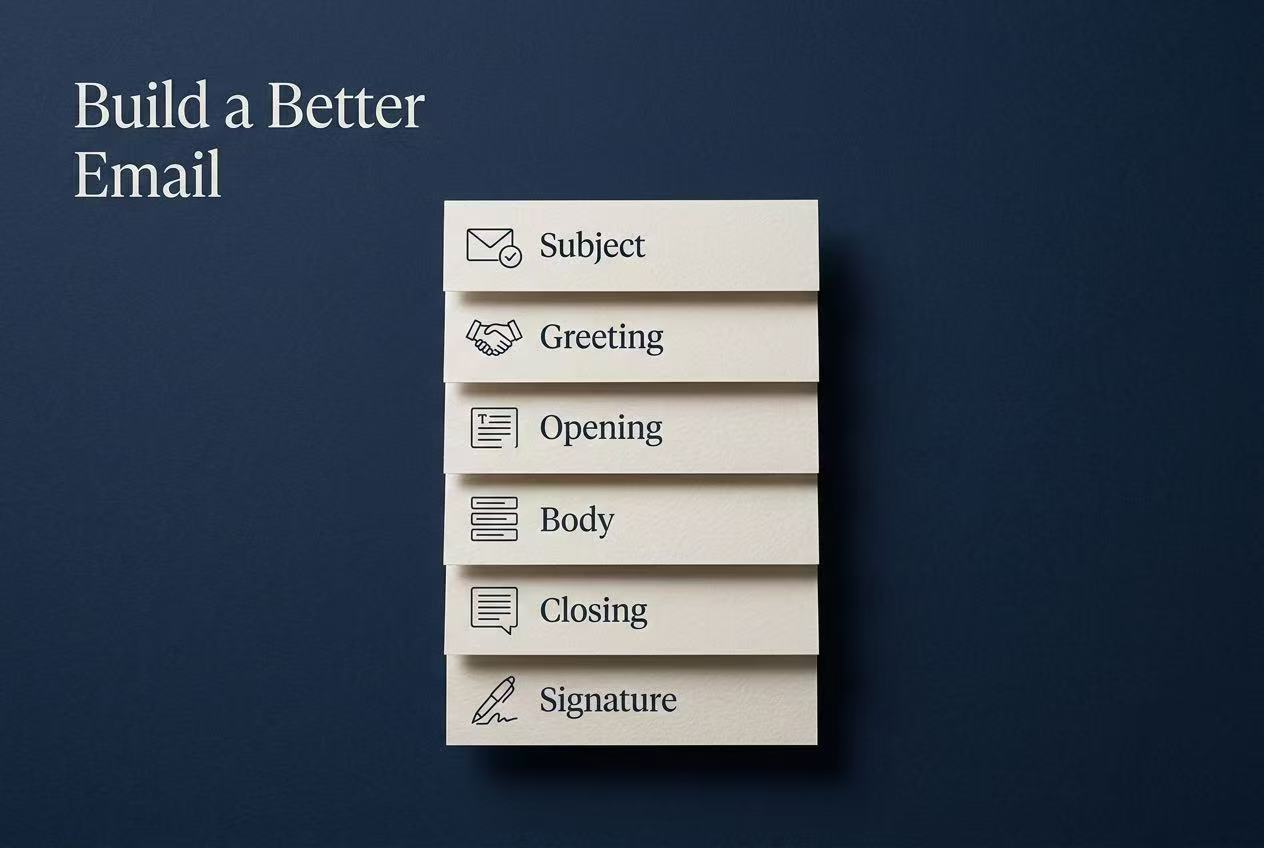
Professional Email Structure at a Glance
- Subject Line – Clearly describe the purpose.
- Greeting – Address the recipient politely.
- Opening – Introduce the reason for your email.
- Body – Present your message clearly and concisely.
- Closing – End with appreciation or a call to action.
- Signature – Include your professional contact information.
Step-by-Step: How to Write an Email
Now that you know the key elements, let's walk through the actual process of writing one from start to finish. Follow these steps to turn a blank draft into a message that's ready to send.
- Clarify your purpose before you type. Ask yourself what you want the reader to know, feel, or do after reading your email. A clear goal keeps your message focused and prevents rambling.
- Outline your main points first. Jot down 2-3 key points you need to cover, then arrange them in a logical order — this makes drafting faster and keeps your email organized.
- Write a first draft without overthinking. Get your ideas down in full sentences, focusing on clarity over perfection. You can refine the wording later.
- Review for tone and formatting. Read through your draft and adjust based on the guidance below.
- Proofread before hitting send. Check for typos, confirm the recipient's name and email address are correct, and make sure any attachments are included.
Choosing the Right Tone
Your tone should match your relationship with the recipient and the context of the email. A message to a close colleague can be more casual, while one to a client or senior executive should stay formal and measured. Avoid overly stiff language, but steer clear of slang or humor that could be misread in writing. Getting this balance right is a core part of how to write a professional email that resonates with any audience.
Formatting Tips
Keep paragraphs short — three to four sentences at most — so the email is easy to scan on any device. Use bullet points or numbered lists when presenting multiple items, and leave white space between sections. Bold text sparingly to highlight action items or deadlines, without overwhelming the reader.
To turn rough notes into a polished message, try Implay AI's AI Email Writer for drafting clear, professional emails in seconds.
Example Professional Email Templates
Sometimes the easiest way to write a professional email is to start with a proven template. Below are two common examples that you can customize for your own situation.
Template 1: Job Application Email
Email template
Subject: Application for Marketing Specialist Position
Dear Hiring Manager,
I hope you're doing well.
I am writing to apply for the Marketing Specialist position at ABC Company. With over three years of experience in digital marketing and content strategy, I believe my skills and experience make me a strong candidate for this role.
Please find my resume attached for your review. I would appreciate the opportunity to discuss how I can contribute to your team.
Thank you for your time and consideration. I look forward to hearing from you.
Best regards,
John Smith
Template 2: Business Follow-up Email
Email template
Subject: Follow-up on Our Meeting
Dear Sarah,
Thank you for meeting with me yesterday to discuss the upcoming project.
I enjoyed learning more about your goals and appreciate the opportunity to explore how we can work together. As discussed, I've attached the proposal and project timeline for your review.
Please let me know if you have any questions or would like to schedule another meeting to discuss the next steps.
I look forward to your feedback.
Best regards,
John Smith
Customize Every Email
These templates provide a solid starting point, but every situation is different. Before sending your email, remember to:
- Update the recipient's name.
- Adjust the tone to match the situation.
- Include only relevant information.
- Proofread for grammar and spelling.
- Double-check any links or attachments.
Why Using AI to Polish Your Emails Is Worth It
Even when you know the structure and tone rules, writing a truly polished email under time pressure isn't always easy — especially when you're juggling multiple messages a day or writing in a language that isn't your first. This is where AI tools can make a real difference, especially once you've already learned how to write an email but still want to save time on execution.
An AI-powered writing assistant can catch awkward phrasing, tighten wordy sentences, and adjust tone in seconds — turning a rough draft into a message that reads as clear and professional. It also helps maintain consistency, so every email you send reflects the same level of quality, whether you're rushing between meetings or writing at the end of a long day, making it a smart complement to knowing how to write emails well.
To give your message a final clarity check before sending, try Implay AI's AI Email Assistant. Review the output to make sure facts, names, dates, attachments, and commitments are correct.
Final Thoughts
Writing a professional email is a skill that becomes easier with practice. By understanding the purpose of your message, following a clear structure, choosing the right tone, and reviewing your writing before sending, you can communicate more effectively in any professional situation. This is ultimately what how to write an email comes down to — consistent, thoughtful practice.
Remember, a great email isn't about using complicated language—it's about being clear, respectful, and purposeful. Whether you're applying for a job, reaching out to a client, or collaborating with colleagues, a well-written email helps build trust, reduce misunderstandings, and create a positive impression. Mastering how to write a professional email pays off in nearly every part of your working life.
The more you practice these principles, the more confident you'll become. Start with a clear objective, keep your message concise, and always write with your reader in mind. Over time, how to write emails effectively will become a natural part of your communication skills.