
Free Gemini Omni Prompt Generator for Better Video Prompts

Paste an idea. The Gemini Omni prompt generator rewrites it into a structured video prompt with shot duration, camera moves, and lighting cues. Free to try.

Prompt Brief
0 words · 0 chars (0 / 250)5 free generations before sign in
Generated Prompt
0 words · 0 chars

Official Reference

Built Around Google DeepMind's Gemini Omni Prompt Guide

This Gemini Omni prompt generator follows the official guide's emphasis on shot framing, camera motion, style, lighting, location, action, iterative edits, text rendering, and reference media.

Google DeepMind Gemini Omni prompt guide page preview

deepmind.google

How to create effective prompts with Gemini Omni

Official Google DeepMind prompt guide for Gemini Omni.

Turn One Line Into a Gemini Omni Video Prompt

Paste a rough idea, pick the Gemini Omni preset, and get a structured video prompt back with shot duration, camera moves, and lighting cues. Free to try, no signup to start.

What Creators Build with the Gemini Omni Prompt Generator

Compare a rough one-line video idea with the structured Gemini Omni prompt it becomes.

Product Video for E-Commerce

DTC brand designers and Shopify owners shooting product hero cuts without booking a studio.

Sample input

running shoes on wet asphalt, moody product shot

View generated Gemini Omni prompt+
# Gemini Omni Video Prompt

## Scene
A moody, cinematic product shot of running shoes on wet asphalt.

## Subject
A pair of sleek running shoes, placed on dark, rain-slicked asphalt. Water droplets and subtle reflections on the surface.

## Action
The shoes are stationary. A slow, deliberate camera movement reveals the texture of the wet ground and the shoe's details.

## Camera
Low angle, close to the ground. A slow dolly or push-in, keeping the shoes as the focal point. Shallow depth of field, with the wet asphalt blurring into the background.

## Timing
5-8 seconds, slow and contemplative.

## Style
Dark, moody, high contrast. Desaturated colors with a slight blue or teal tint. Cinematic film grain.

## Lighting
Single, hard light source from above or the side, creating strong shadows and highlights on the wet surface and the shoe's contours. No fill light to maintain the moody atmosphere.

## Location
Outdoors at night or under an overcast sky, with wet asphalt and no other distractions.

## Audio
Ambient sound of light rain and distant city hum. Low, deep synth drone in the background.

## Titles
No on-screen text.
Paid Social Ad for TikTok, Reels, and Shorts

Performance marketers iterating ad variants for short-form social.

Sample input

15-second ad for protein powder, gym setting, energetic

View generated Gemini Omni prompt+
# Gemini Omni Video Prompt

## Scene
A modern, clean gym with natural light streaming through large windows. Gym equipment visible in background - dumbbells, barbells, weight racks. The space feels open, motivating, and high-energy.

## Subject
A fit individual in athletic wear, mid-workout, holding a shaker bottle with the protein powder product visible. Sweat on skin, focused expression, strong posture.

## Action
The subject finishes a set of bicep curls, then confidently shakes the bottle and takes a drink. As they drink, a subtle energy ripple or visual spark effect pulses outward from the bottle. The subject then returns to lifting with renewed intensity.

## Camera
Medium shot, slightly low angle to emphasize strength. Smooth follow movement as subject moves from weights to bottle. Quick cut to close-up of the product label and powder texture. Final wide shot of subject back at work with dynamic framing.

## Timing
15 seconds total. First 4 seconds establishing the gym and subject mid-set. Next 5 seconds showing the drink moment with effect. Final 6 seconds return to workout with energetic pacing. Quick cuts synced to upbeat rhythm.

## Style
Bright, high-contrast, slightly desaturated with warm highlights. Motion blur on quick movements. Clean commercial aesthetic with a gritty training edge.

## Lighting
Key light from above-left creating dramatic shadows on muscles. Rim light from behind to separate subject from background. Soft fill on product close-ups.

## Audio
Upbeat electronic or hip-hop track with strong beat drops synced to the drink moment.

## Titles
Brand name and tagline fade in during final 3 seconds, bottom-center, modern sans-serif font in white with subtle glow.

YouTube B-Roll

Solo YouTubers filling visual gaps in explainer or vlog episodes.

Sample input

b-roll: someone working at a laptop in a coffee shop, autumn light

View generated Gemini Omni prompt+
# Gemini Omni Video Prompt

## Scene
A warm, cozy coffee shop interior during autumn, with large windows allowing soft golden-hour light to stream in.

## Subject
A person, seen from behind or at a three-quarter angle, focused on a laptop on a wooden table. A steaming coffee cup sits beside the laptop.

## Action
The person types occasionally, pauses to think, sips coffee, then resumes typing. Subtle, natural movements - stretching fingers, adjusting posture, glancing out the window.

## Camera
Handheld or gently stabilized b-roll style. Slow pan from a close-up of the laptop screen and hands to a wider shot including the person, coffee cup, and window. Alternatively, a slow push-in from behind.

## Timing
Approximately 8-15 seconds, one continuous take.

## Style
Cinematic b-roll, warm color grade, shallow depth of field. Soft autumn light creates lens flare or dust motes near the window.

## Lighting
Warm golden autumn light streaming from the window, casting long soft shadows. Interior ambient warm lighting complements the natural light.

## Location
A cozy coffee shop with exposed brick or wood interior, autumn leaves visible through the window, soft chatter and ambient cafe sounds implied.

## Audio
Ambient coffee shop sounds - subtle chatter, espresso machine, soft clinking of cups, quiet background music.

Music Video Cut

Indie musicians and labels building stylized lyric and music videos.

Sample input

surreal slow-motion, dancer in a red dress in a flooded field at dusk

View generated Gemini Omni prompt+
# Gemini Omni Video Prompt

## Scene
A flooded field at dusk under a vast, bruised sky. Still water mirrors the fading light and clouds. The horizon is a thin line of deep orange and violet.

## Subject
A single dancer wearing a flowing red dress. The fabric is lightweight and moves independently. The dancer's movements are deliberate, expressive, and graceful.

## Action
Slow-motion choreography. The dancer spins and extends arms, creating ripples in the shallow water with each step. The red dress billows and trails through the air and across the water's surface. Water splashes upward in suspended droplets that catch the last light.

## Camera
Locked-off wide shot, then a slow push in. The camera is steady, allowing the dancer and the environment to fill the frame. Minimal camera movement to emphasize the dancer's motion.

## Timing
The entire scene is in slow motion. Each movement lasts several seconds. The sun sets gradually during the shot, shifting from twilight to near darkness.

## Style
Surreal, cinematic, and dreamlike. High contrast between the deep blues and purples of the sky and the vivid red of the dress. Soft, diffused edges. The water acts as a perfect mirror, doubling the visual impact.

## Lighting
Natural dusk light. The sky provides a soft, warm glow that becomes cooler as the scene progresses. The red dress is the brightest element, catching the remaining sunlight.

## Location
An open, shallowly flooded field with no visible structures. The water is still and clear enough to reflect the sky and dancer.

## Audio
Ambient sounds: distant wind, subtle water movement, and soft, atmospheric music or a slow, resonant drone that matches the dreamlike tempo.

Explainer and How-To Video

SaaS marketers and educators producing instructional visuals.

Sample input

show how two-factor authentication works, clean minimal explainer, app UI and phone verification

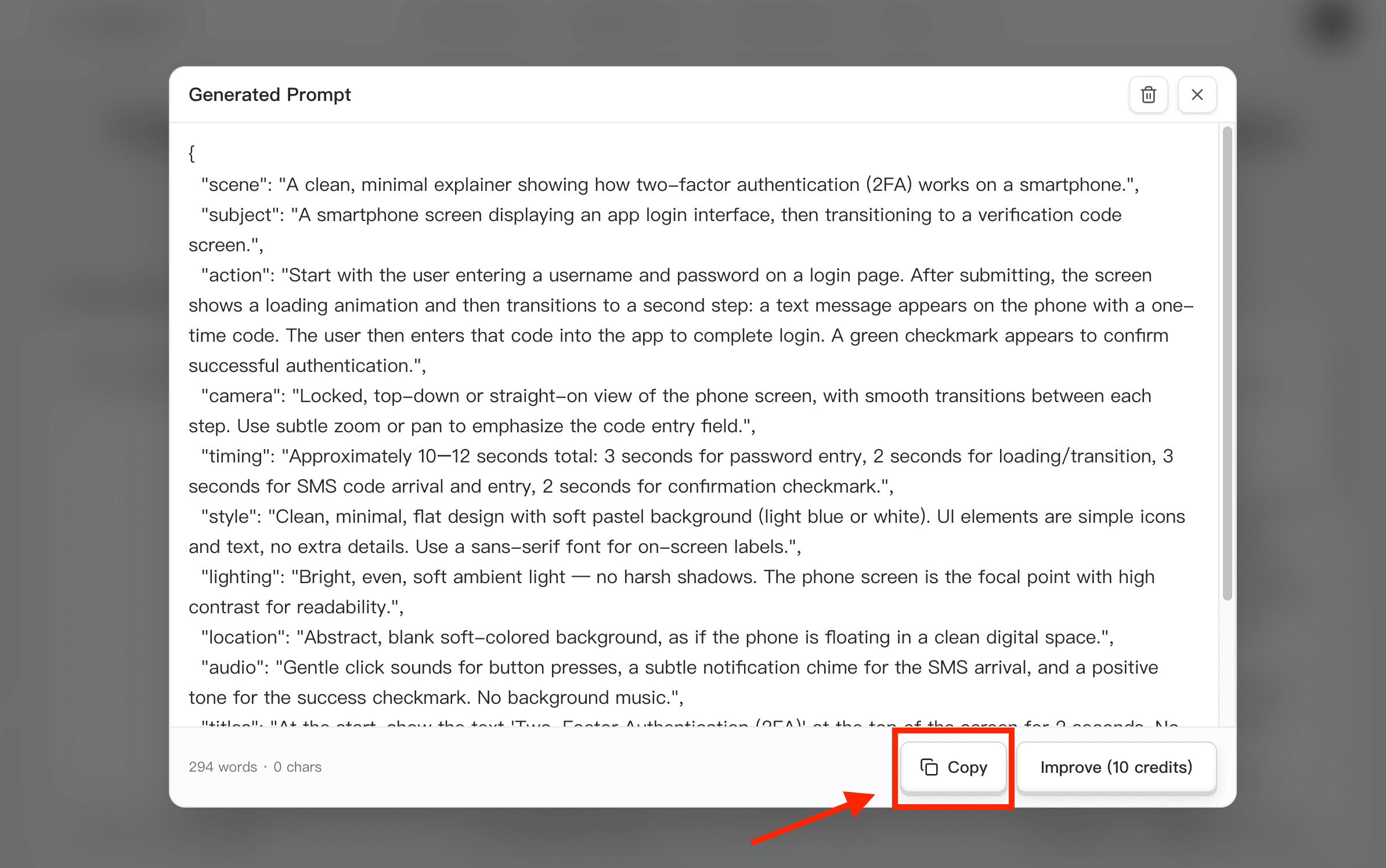
View generated Gemini Omni prompt+
# Gemini Omni Video Prompt

## Scene
Clean, minimal explainer animation on a soft gradient background (light blue to white). The layout is split into two connected zones: a laptop/desktop browser interface on the left and a smartphone on the right.

## Subject
- Left side: A simplified web login screen showing a username field, password field, and a "Sign In" button. After password entry, a new panel appears: "Enter 6-digit code".
- Right side: A smartphone screen displaying a time-based one-time password (TOTP) app interface with a rotating 6-digit code and a 30-second countdown timer.

## Action
1. User types username and password on the laptop. Clicks "Sign In".
2. A loading spinner appears briefly, then the screen shows "Two-Factor Authentication Required".
3. Simultaneously, the smartphone lights up with a notification: "Your verification code is 482916".
4. The phone screen shows the authenticator app generating the code with a circular progress bar counting down from 30s.
5. User copies or types the code from the phone into the laptop's code input field.
6. Upon correct entry, the laptop screen transitions to a green checkmark and "Access Granted" message.

## Camera
Locked, top-down flat lay or slightly angled isometric view. Smooth zoom-in on the phone when it receives the notification, then zoom back to show both devices connected by a faint animated flow line (indicating code verification).

## Timing
Total 12 seconds. Each step lasts approximately 2 seconds. Smooth transitions with subtle fade and scale animations.

## Style
Flat 2D vector illustration style with soft shadows. Color palette: white, light blue, dark navy for text, green for success states. No gradients on UI elements. Minimal icons (lock, shield, checkmark). Clean sans-serif font for on-screen text.

## Lighting
Soft, even ambient light. No harsh shadows. Slight glow effect on the phone screen when it lights up.

## Audio
Gentle click sound on each user action. Soft chime for successful verification. Subtle ambient background tone.

## Titles
Lower third text appears briefly: "Step 1: Enter Password", "Step 2: Enter Code from Authenticator App", "Step 3: Access Granted". Text fades in and out with each step.

Cinematic Short and Narrative

Indie filmmakers and storyboard artists prototyping short-form narrative.

Sample input

detective walks into a rainy alley at night, sees something on the ground

View generated Gemini Omni prompt+
# Gemini Omni Video Prompt

## Scene
A narrow, rain-slicked alley at night. Dim light from a single flickering streetlamp casts long shadows. Steam rises from a manhole cover. Puddles reflect the faint glow of distant neon signs.

## Subject
A weary detective in a trench coat and fedora, shoulders hunched against the rain. He walks slowly into the alley, his footsteps splashing in shallow puddles.

## Action
The detective stops abruptly. His gaze drops to the ground a few feet ahead. He freezes, rain dripping from the brim of his hat. A subtle shift in his posture signals he has spotted something unexpected and troubling.

## Camera
Medium shot from behind the detective as he enters the alley, then a slow push-in as he stops and looks down. The camera tilts slightly to reveal the object on the ground just before cutting to a close-up of the detective's reaction.

## Timing
The entire sequence lasts 8-10 seconds: 3 seconds for the walk, 2 seconds for the stop, 3 seconds for the reveal of the object, and 2 seconds for the detective's reaction.

## Lighting
Low-key noir lighting. The streetlamp creates a harsh top-down pool of light. The detective's face is partially shadowed. The object on the ground is partially illuminated by a faint reflection.

## Location
A wet, gritty urban alley. Brick walls on both sides. A dumpster in the background. A single flickering light source above.

## Audio
Heavy rain, distant traffic, a single distant siren, footsteps splashing, then silence as the detective stops. A faint drip-drip sound.

## Continuity
One continuous shot. Rain intensity remains steady. The object on the ground should be visible but not fully identifiable - a [placeholder for the specific object] that clearly startles the detective.

What the Generator Adds to Your Video Prompt

Gemini Omni shot grammar with camera moves and lighting cues

Built-In Shot Grammar for Gemini Omni Video Prompts

The Gemini Omni prompt generator adds shot duration, camera moves, and lighting cues in the order a video model can follow. You bring the intent; the tool brings the syntax your Gemini Omni prompt needs for a cleaner first render.

Markdown, JSON, and Plain Text Gemini Omni Prompts

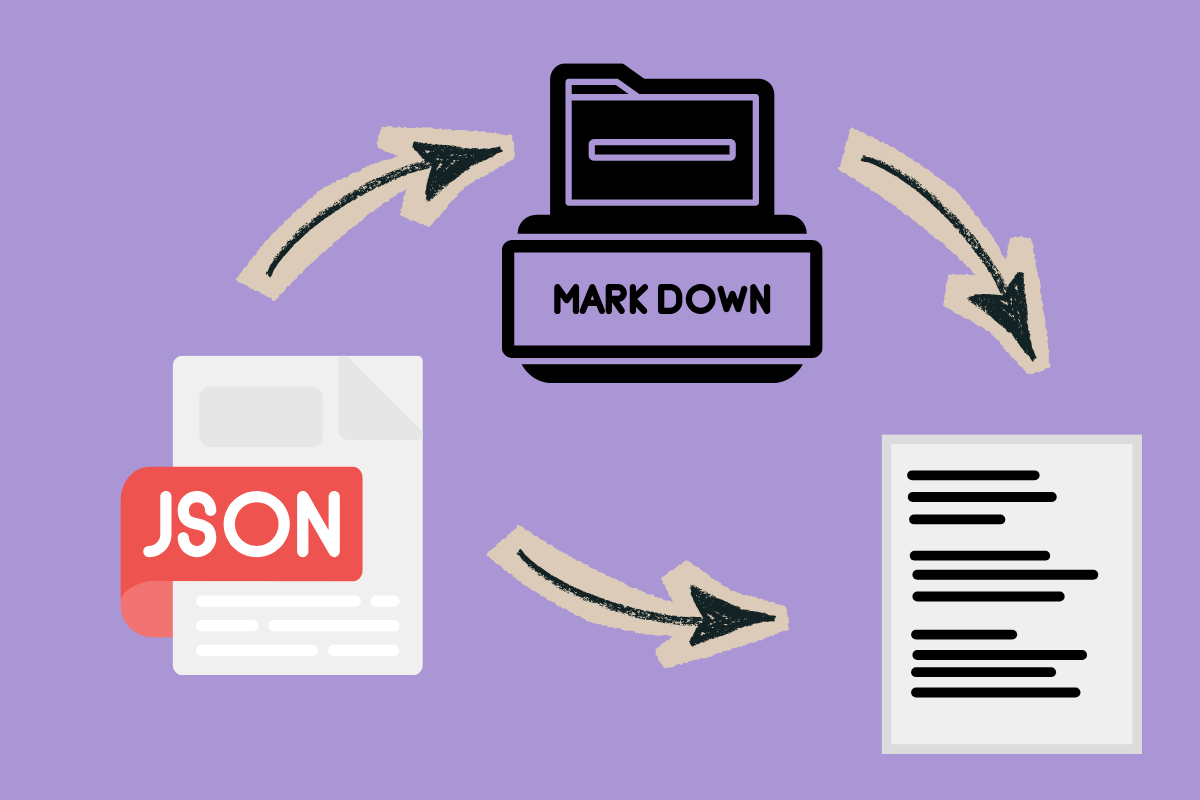
Choose the output format that fits your workflow. Generate a readable Markdown prompt, a compact plain-text instruction, or structured JSON for a Gemini Omni video prompt without rewriting the same idea by hand.

Gemini Omni prompt output in Markdown, JSON, and plain text
Gemini Omni video prompt patterns for ads and product shots

Flexible Gemini Omni Video Patterns for Ads, Product, and B-Roll

Because the prompt is generated from your idea instead of pulled from a fixed template list, you can shape Gemini Omni prompts for product shots, ad cuts, b-roll, music videos, explainers, cinematic scenes, and more.

Copy Gemini Omni Prompts or Generate Structured JSON

Copy the final Gemini Omni prompt in one click, or switch the result to JSON when you want a structured version for saving, reviewing, or passing into your own workflow. The prompt stays focused on video output.

Copy Gemini Omni video prompt as JSON

What Creators Say About the Gemini Omni Prompt Generator

"I storyboard every episode with Gemini Omni now. The prompt generator's shot grammar adds duration and camera moves I used to type by hand, plus the lighting cues I always forget."

Anya PetrovYouTube creator, 180k-subscriber science-explainer channel

"We test short video ad variants constantly. The Gemini Omni prompt generator gives the same brief a cleaner structure in Markdown or JSON, so our launch docs are easier to review."

David OkaforPerformance marketer at a direct-to-consumer fashion brand

"Our team used to rewrite the same product-film brief several times before rendering. Now we start with the generated Gemini Omni prompt, tune the camera block, and move faster into review."

Mei TanakaCreative tech lead at a Tokyo agency shipping product films weekly

"For low-light scenes, the lighting and camera-move blocks are the useful part. I can paste a rough noir idea and get a Gemini Omni prompt that is much easier to refine."

Carlos MendesIndie filmmaker building short-form sci-fi on TikTok

"The Markdown output gives my team a shared brief before we render. Scene, action, camera, timing, and audio are separated cleanly, so feedback is easier to give."

Lina ParkMotion designer producing product explainers for startups

Why Pick Implay Gemini Omni Prompt Generator

  • Get a Gemini Omni Video Prompt Quickly

    Skip the trial-and-error pass. The generator returns a structured Gemini Omni prompt fast, so your time goes to judging the render instead of guessing the syntax.

  • One Generator for Many Gemini Omni Shot Types

    Product cuts, ads, b-roll, music videos, explainers, and cinematic scenes need different prompt shapes. The generator adjusts the structure around the shot idea you enter.

  • Prompt Patterns for Ads, Product, and B-Roll

    Because the prompt is generated from your brief instead of pulled from a fixed list, you can create fresh Gemini Omni video prompt patterns for many campaign and content types.

  • Built-In Review Before Prompt Generation

    Each request passes through the same safety review used by the prompt generator API before it reaches the model, helping keep Gemini Omni prompt generation cleaner and more reliable.

  • Improve Gemini Omni Prompts Without Losing the Idea

    Paste an existing prompt and improve its structure while preserving the subject, scene, style, reference-media relationship, and constraints that matter to the video output.

  • Write Gemini Omni Prompts in the Language You Use

    The generator follows the language of your input and keeps the final Gemini Omni prompt natural, so a quick Mandarin, English, or mixed-language brief can become a cleaner video prompt.

More Implay AI Tools for Gemini Omni Workflows

Related tools for drafting prompts, editing text, converting content, and preparing assets around your Gemini Omni video prompt workflow.

Frequently Asked Questions

Gemini Omni is Google's AI video generation and editing model for creating video from text, photos, video, and other media inputs.

Google describes Gemini Omni Flash as combining Gemini intelligence with generative media capabilities, with native multimodal support and video output that includes audio. It also supports conversational editing, so you can refine a clip step by step through natural language.

Generate Your Next Gemini Omni Video Prompt in Under a Minute

Paste an idea, choose a format, and get a structured Gemini Omni prompt back with shot duration, camera moves, and lighting cues included. Free to try, no signup to start.