
Sketch vs Line Art: AI Tool Comparison
Compare sketch vs line art AI tools, including output style, use cases, editing flexibility, detail control, and how to choose the best tool for your image workflow.
Sketch vs Line Art, What Is the Difference?
At first glance, sketch and line art may look similar because both are built with lines. But they feel very different once you understand their roles.
A sketch is like thinking out loud on paper. It is loose, exploratory, and full of movement. Line art, on the other hand, is more like the final clear sentence after the messy brainstorming is done.
To compare the two with your own image, try Implay AI’s Image to Sketch tool for textured pencil styles or the AI Line Art Generator for cleaner outlines.
What Is a Sketch?
A sketch is an early drawing used to explore an idea. It does not need to be perfect, polished, or even clean. Its job is to help the artist figure things out.
A sketch may include rough marks, extra lines, unfinished shapes, or visible corrections. That is not a problem. In fact, that is part of its charm.
You can think of a sketch as the “first conversation” between the artist and the idea.
Sketches are often used for character ideas, concept drafts, thumbnails, layout planning, or simply catching a sudden creative spark before it disappears.
What Is Line Art?
Line art is a cleaner and more finished type of drawing. It keeps the important outlines and removes most of the messy draft lines.
If a sketch is the rough plan, line art is the neat version that is ready to be used, colored, printed, or shared.
Line art focuses on clarity. The lines are usually more intentional, smooth, and organized. Each stroke has a purpose.
Because of this, line art is often used in illustrations, coloring pages, stickers, tattoo designs, icons, logos, product graphics, and AI image prompts.
The Easiest Way to Understand It
When we talk about sketch vs line art, there is an easy way to understand:
A sketch is where the idea is still growing.
Line art is where the idea has found its shape.
In simple words: sketch is about exploration, while line art is about clarity. One feels spontaneous and alive; the other feels clean, focused, and ready for the world.
Output Style: How Sketch and Line Art Look Different
In AI-generated images, sketch and line art can start from the same idea but end up with very different personalities.
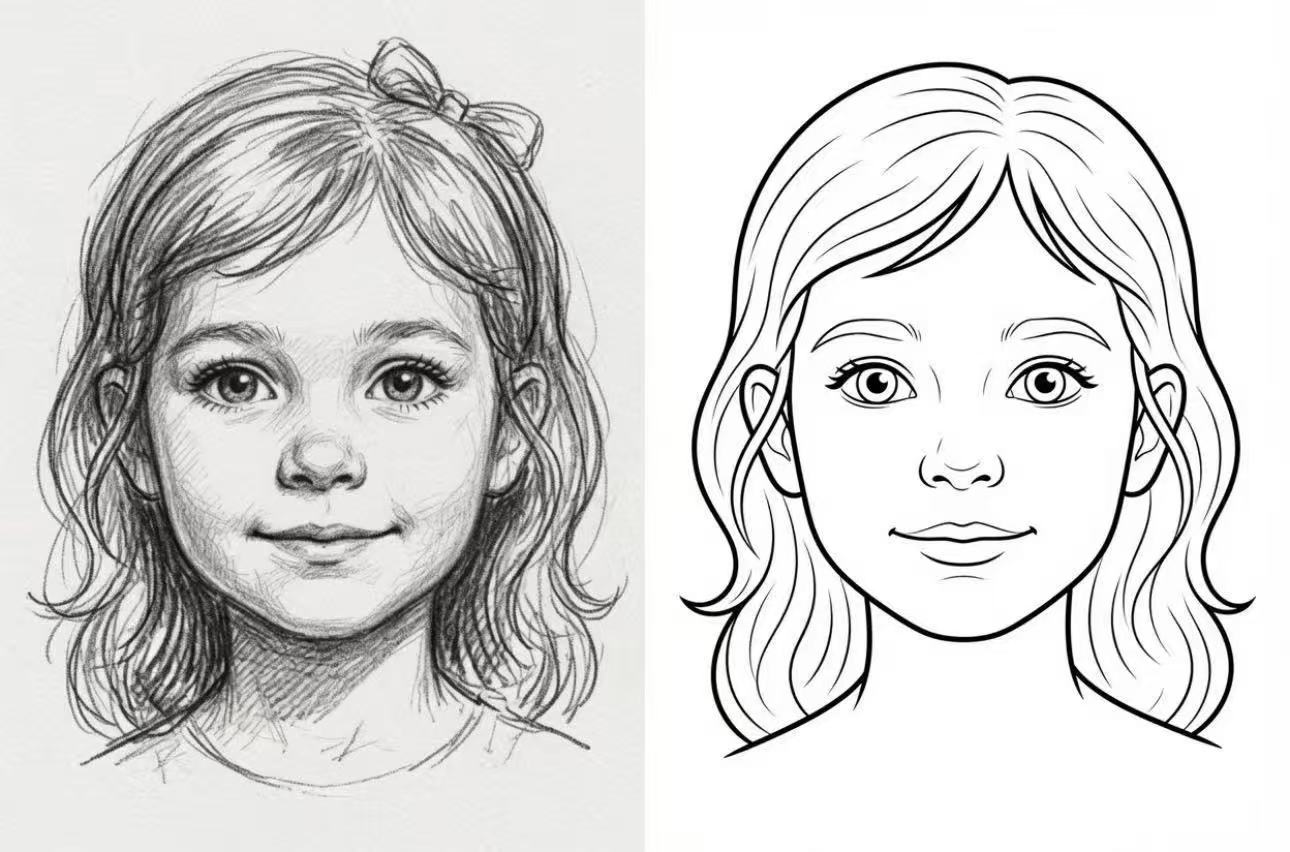
A sketch feels like a page from an artist’s notebook. A line art image feels more like a clean design file, ready to color, print, or use.
Sketch: Messy in a Good Way
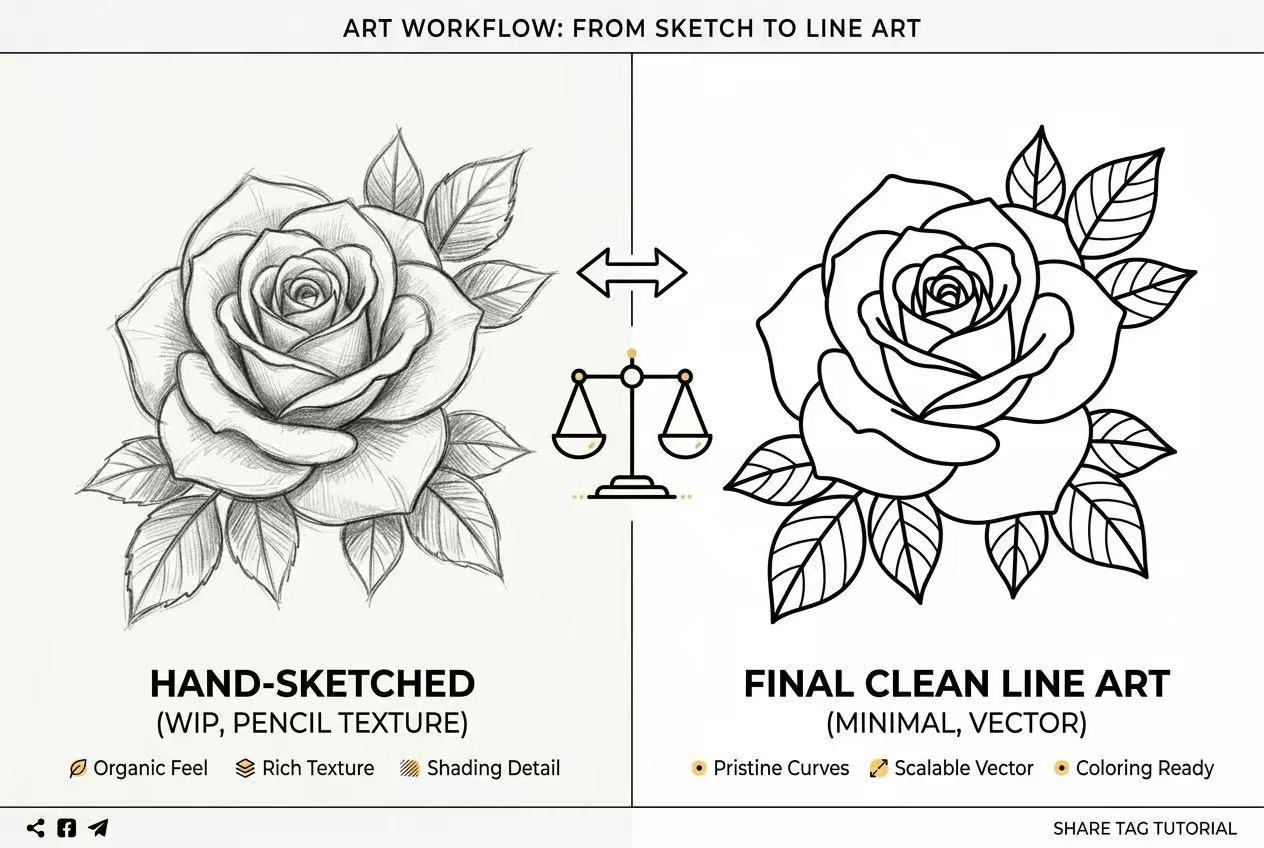
Sketch-style AI images often look as if they were drawn with pencil. You may see soft gray lines, light shading, rough strokes, and small “searching” marks around the main shape.
That roughness is part of the charm. A sketch does not try too hard to look finished. It lets you see the thinking behind the drawing.
Sketch outputs often feel:
- textured, like pencil on paper
- soft, with shadows and shading
- loose, with extra draft lines
- handmade, warm, and a little imperfect
- useful for exploring ideas before making a final image
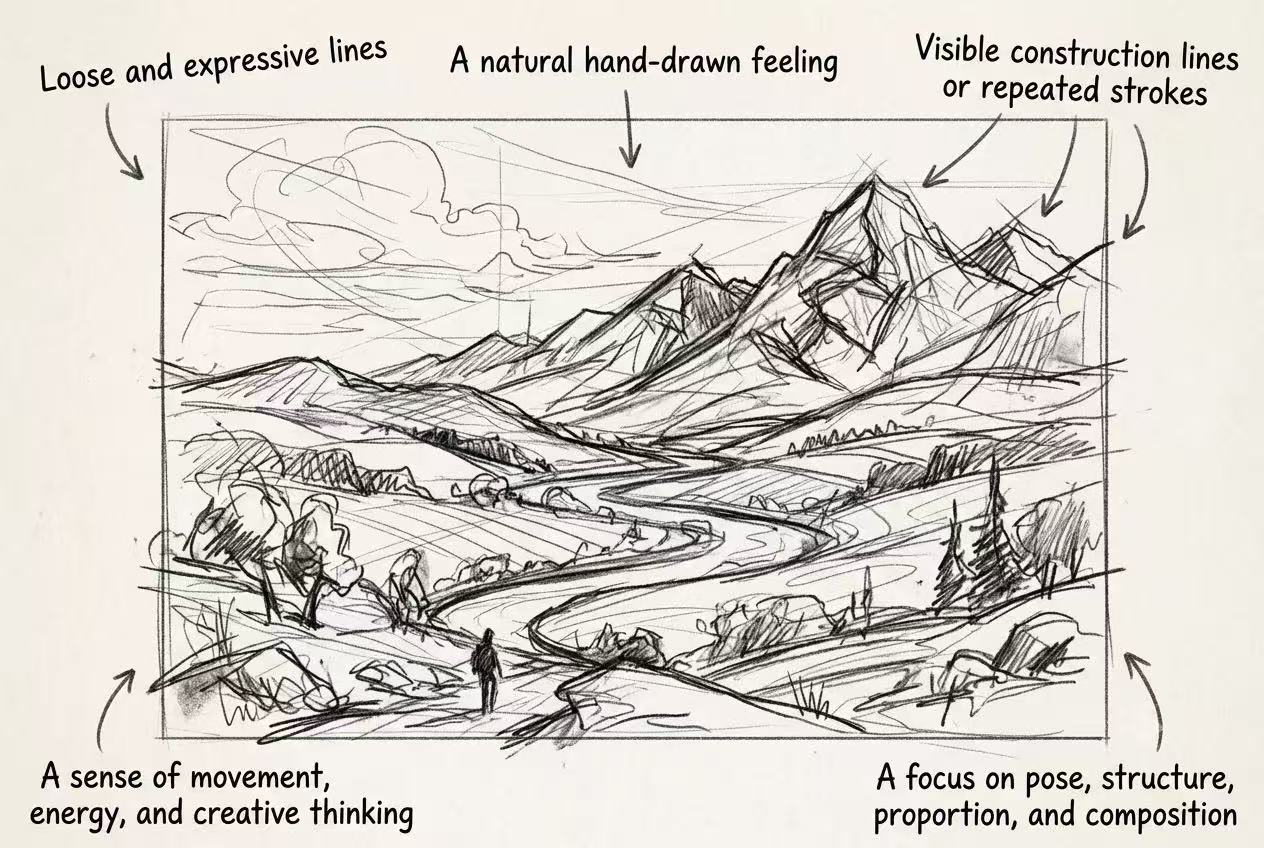
This style works well for character concepts, product ideas, fashion drafts, mood boards, and any image that should feel creative rather than polished.
Line Art: Clean and Easy to Use
Line art is the tidier cousin. It usually uses clear black lines on a white or clean background, with little or no shading.
The goal is not to show every step of the drawing process. The goal is to make the shape easy to read.
Line art outputs often feel:
- clean and simple
- black-and-white
- sharp around the edges
- free from messy background details
- ready for coloring, printing, stickers, icons, or design use
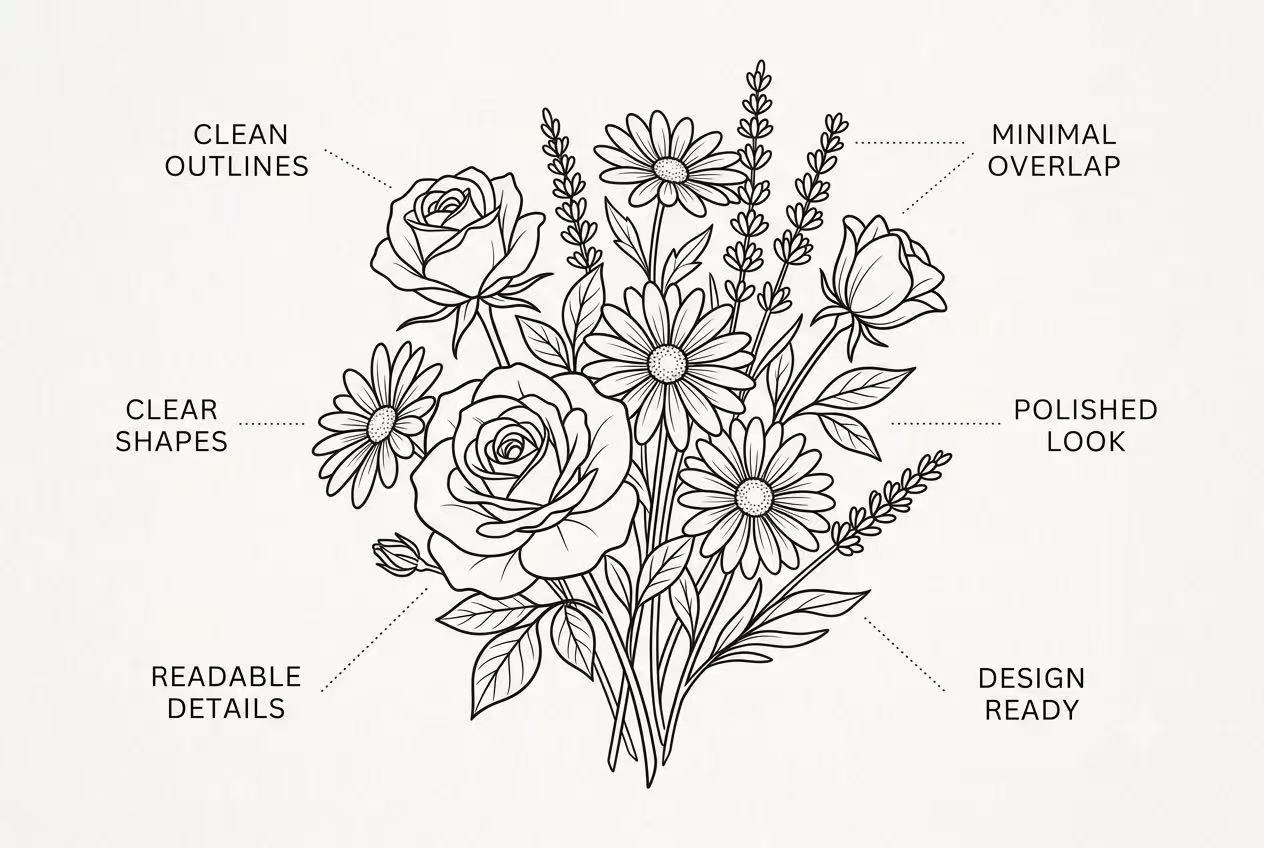
For a clean result you can color or reuse, an AI line art generator can turn the same idea into a more structured outline.
If sketch is the “thinking stage,” line art is the “okay, this is the shape” stage.
A Quick Example
Ask an AI tool for a flower and compare sketch vs line art, and you will see the obvious difference between them.
The sketch version may have pencil texture, shaded petals, and loose marks that make it feel alive.
The line art version may have smooth black outlines, simple petals, and a clean background, almost like a coloring page.
So the choice is really about feeling:
Choose sketch when you want the image to feel human, rough, and creative.
Choose line art when you want the image to feel clear, simple, and ready to use.
Use Cases
AI Sketch Tools: Best Use Cases
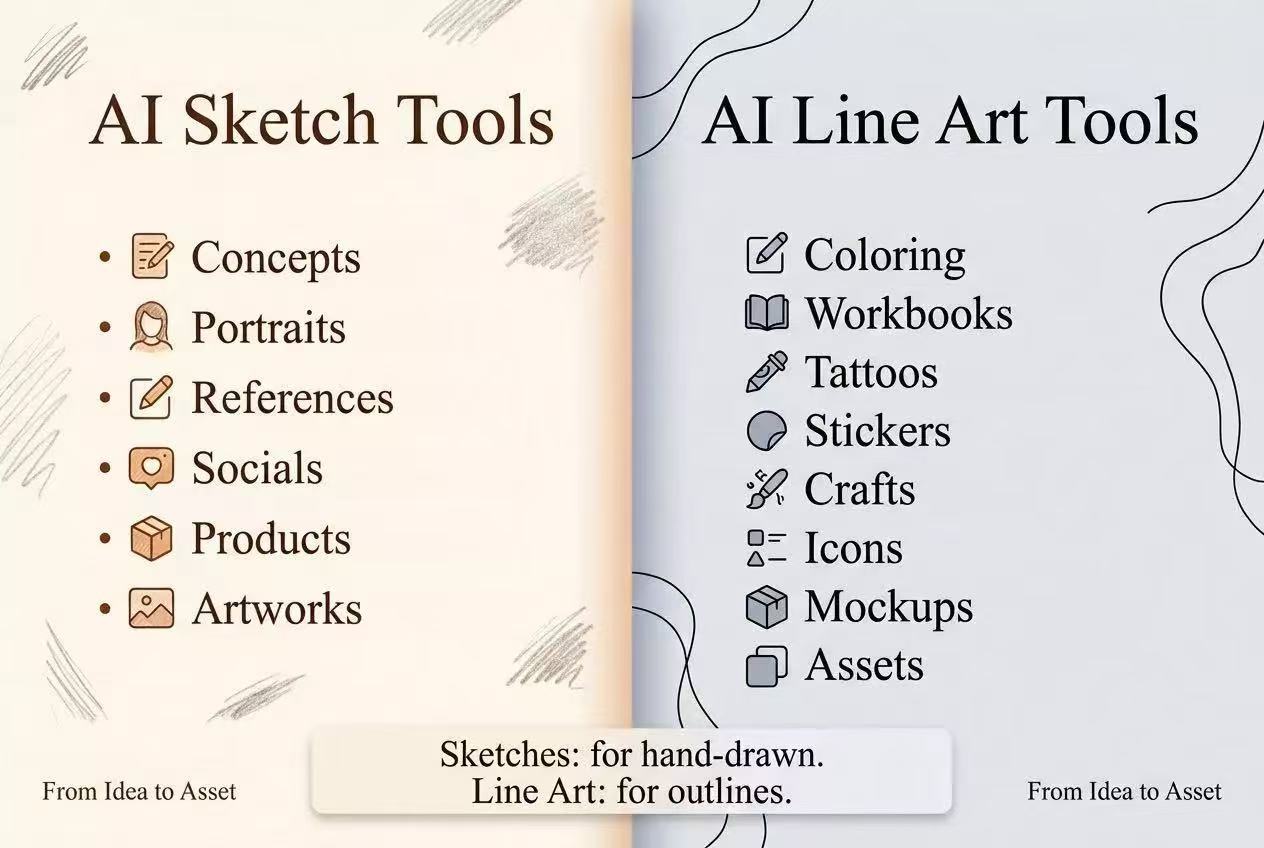
AI sketch tools are great when you want to turn a photo, rough idea, or visual reference into a softer, more expressive drawing. They work well for early creative exploration, mood boards, product concepts, portraits, lifestyle visuals, and social media content.
Designers can use them to quickly test visual directions for packaging, landing pages, ads, and presentations. Everyday users can also turn travel photos, family portraits, pets, or special moments into pencil-style artwork, gifts, wallpapers, or shareable images without needing drawing skills.
To turn a photo into one of these softer drawing styles, use the Image to Sketch tool.
AI Line Art Tools: Best Use Cases
AI line art tools are especially useful when you need clear outlines. They are ideal for coloring pages, tracing sheets, worksheets, tattoo references, comics, illustration bases, craft projects, and printable learning materials.
Artists and illustrators can use line art as a starting point for digital painting, coloring, or refining their own style. Teachers, parents, and students can also use it to create simple, easy-to-follow visual materials for learning and practice. The Image to Line Drawing tool is designed for this workflow.
Shared Use Cases
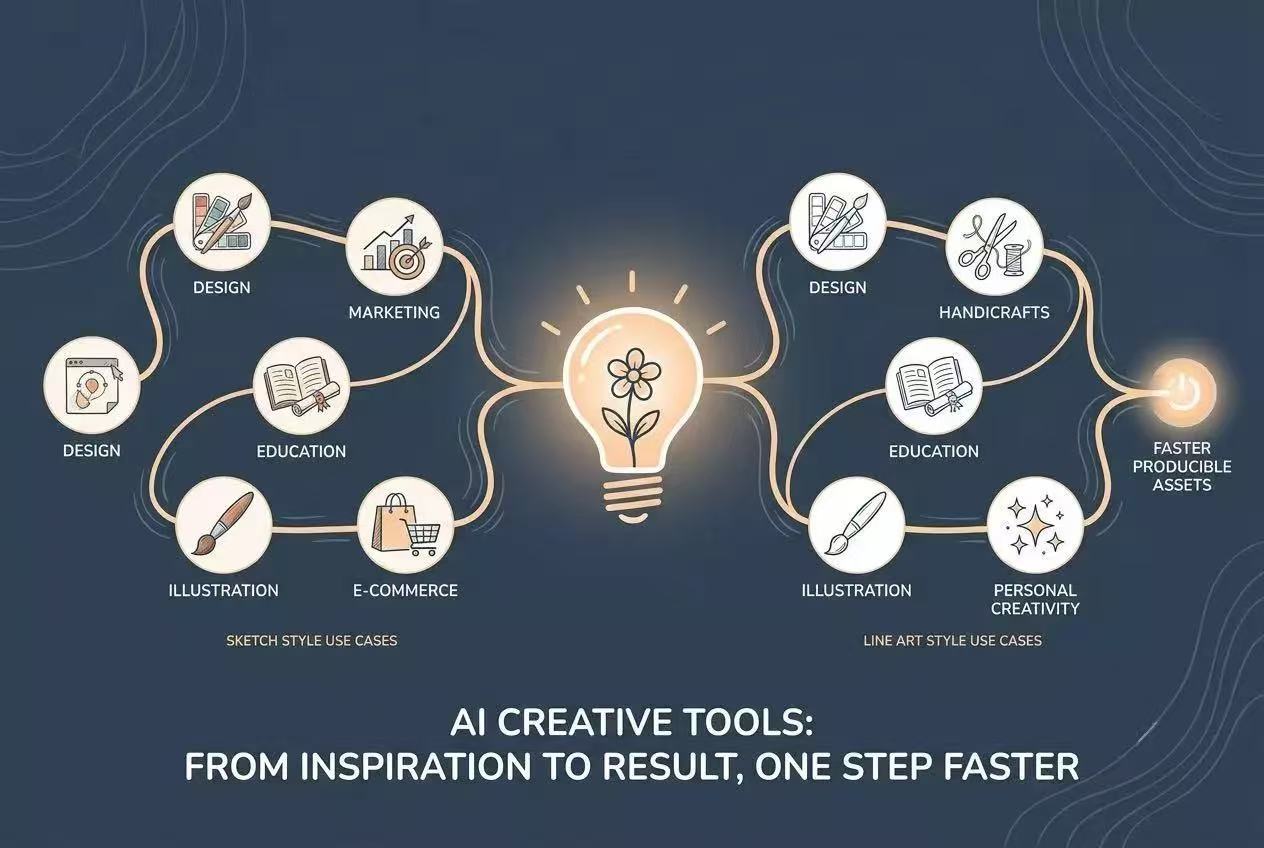
Sketch and line art both help turn raw images or ideas into reusable visual assets faster. They are useful for design, marketing, education, illustration, crafting, e-commerce, and personal creativity.
In short, these tools are creative shortcuts with a human touch. They do not replace your ideas, but they help you move from inspiration to something usable much more quickly.
Sketch vs Line Art: Feature and Workflow Comparison
Sketch and line art may look similar at first because both can turn images into hand-drawn-style visuals. However, they are designed for slightly different creative needs. AI sketch tools focus more on producing pencil-like, textured, hand-drawn results, while AI line art tools focus on clean outlines, smooth edges, and simplified visual structure.
| Feature | AI Sketch Tool | AI Line Art Tool |
|---|---|---|
| Main purpose | Turns photos into pencil sketches or hand-drawn-style artwork | Turns photos or text prompts into clean line drawings |
| Input type | Mainly image upload | Image upload and text-to-line generation |
| Visual style | Pencil sketch, pencil drawing, line drawing, cross-hatching | Black-and-white line art, clean outlines, color draft options |
| Output feel | More textured, artistic, and sketch-like | Cleaner, smoother, more minimal and graphic |
| Best for | Portrait sketches, creative drafts, social visuals, printable artwork | Coloring pages, tattoos, icons, packaging outlines, craft patterns, worksheets |
| Editing focus | Preserves details, contours, shadows, and hand-drawn texture | Simplifies edges, clarifies shapes, and creates crisp outlines |
| User skill needed | No drawing skills required | No drawing skills required |
| Typical users | Designers, illustrators, educators, marketers, e-commerce operators, everyday users | Artists, photo editors, crafters, teachers, parents, marketers, beginners |
| Output options | Multiple sketch styles and size ratios | Color mode options, aspect ratios, and instant download |
| Workflow speed | Upload, choose style/ratio, generate, preview, download | Upload or type prompt, choose mode/style/ratio, generate, download |
Workflow Comparison
An AI sketch tool usually starts with a photo. The user uploads an image, selects a sketch style, chooses an output size, and generates the result. The tool analyzes the subject, facial features, contours, shadows, and details, then converts the photo into a sketch that feels closer to traditional hand drawing.
An AI line art tool can work from either an image or a text prompt. Users can upload a portrait, product image, or pet photo, or they can describe what they want in words. The tool then extracts or generates clean outlines with smooth edges and balanced detail. The result is usually simpler and more structured than a sketch, making it easier to use for coloring, design assets, tattoos, crafts, and printable materials.
Editing Flexibility and Detail Control
Editing flexibility depends on what you plan to change after generation. Sketch outputs give you more visual material to work with because they preserve shading, texture, and small variations in the source image. You can lighten rough areas, erase unwanted marks, or use the result as a reference for a more polished illustration.
Line art offers a different kind of control. Because the image is built around clear edges and simplified shapes, individual sections are easier to select, recolor, trace, or convert into design elements during later editing.
Detail settings should follow the final use. A portrait or concept sketch can benefit from subtle shadows and facial detail. A coloring page, icon, or craft template usually needs fewer lines and larger open areas. More detail is not automatically better: it can make a printable outline feel crowded or make a small icon difficult to read. Choose the lowest level of detail that still communicates the subject clearly, then add complexity only where it supports the image.
Sketch vs Line Art: How to Choose
If you want to express an idea quickly, choose an AI sketch tool. It is better for turning a photo into a natural hand-drawn sketch, keeping details, shadows, and pencil-like texture. AI sketch tools are a good choice for concept drafts, portrait sketches, creative references, social media visuals, product ideas, and personal artwork.
If you need clean outlines, printable results, or artwork that can be colored, choose an AI line art tool. Line art is better for coloring pages, worksheets, tattoo ideas, stickers, craft projects, icons, packaging mockups, and design assets. It creates clearer edges and simpler shapes, making the final image easier to edit, reuse, print, or share.
In short, choose AI sketch when you want a fast, expressive, hand-drawn look. Choose AI line art when you need clear, reusable outlines for coloring, printing, or design work.